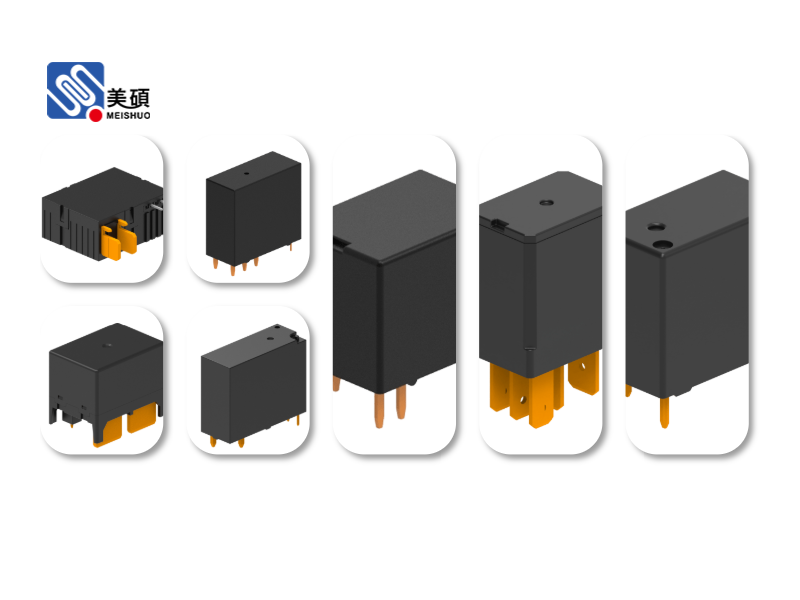
In the rapidly evolving world of home automation, smart home relay for lighting control has emerged as a game-changer. This innovative technology allows homeowners to manage their lighting systems more efficiently and conveniently than ever before. This article delves into the details of smart home relays for lighting control, exploring their benefits, features, and how they can enhance your home automation experience.
The Basics of Smart Home Relay for Lighting Control
A smart home relay for lighting control is a device that acts as an intermediary between your home’s electrical system and your smart home automation system. Unlike traditional switches, which only allow you to turn lights on or off, smart relays offer a wide range of functionalities, such as dimming, scheduling, and remote control. These relays are designed to work with various smart home ecosystems, including Wi-Fi, Zigbee, and Z-Wave.
Benefits of Smart Home Relay for Lighting Control
1. Energy Efficiency: One of the primary benefits of smart home relays for lighting control is energy efficiency. By allowing you to control your lights remotely and schedule them to turn off when not in use, you can significantly reduce your energy consumption and lower your utility bills.
2. Convenience: With smart home relays, you can control your lighting system from anywhere in the world, using your smartphone, tablet, or computer. This means you can turn on your lights before arriving home, create ambiance for a movie night, or even set up a security system by turning on lights when you’re away.
3. Integration: Smart home relays can be integrated with other smart home devices, such as smart thermostats, security cameras, and voice assistants. This allows you to create complex automation scenarios that enhance your home’s comfort, security, and efficiency.
Features to Consider When Choosing a Smart Home Relay for Lighting Control
1. Compatibility: Ensure that the smart relay you choose is compatible with your existing home automation system and the lighting fixtures you wish to control.
2. Range of Control: Look for a relay that offers a wide range of control options, such as dimming, scheduling, and remote access.
3. Wi-Fi or Z-Wave Support: Depending on your preference and the capabilities of your smart home system, choose a relay that supports Wi-Fi or Z-Wave technology.
4. User Interface: A user-friendly interface is essential for easy setup and management of your smart home relay.
5. Safety and Security: Ensure that the relay you choose has built-in safety features, such as surge protection and tamper alerts.
How to Install a Smart Home Relay for Lighting Control
Installing a smart home relay for lighting control is a relatively straightforward process. Here’s a general guide to help you get started:
1. Turn off the power to the circuit you wish to control.
2. Disconnect the existing switch or dimmer from the circuit.
3. Connect the smart relay to the circuit, following the manufacturer’s instructions.
4. Connect the relay to your home automation system using the provided software or app.
5. Test the relay to ensure it’s functioning correctly.
In conclusion, a smart home relay for lighting control is an excellent addition to any home automation system. By offering energy efficiency, convenience, and integration capabilities, these devices can significantly enhance your home automation experience. When choosing a smart home relay, consider compatibility, range of control, technology support, user interface, and safety features. With the right smart relay, you can transform your home into a smart, efficient, and comfortable living space.